Best Secret to Live Streaming Quality
Sep 19,2024 | Superbox Seller Official Store
The quality of live streaming is the core of a smooth and engaging viewing experience, especially on Android TV set-top boxes. As the demand for high-definition real-time content continues to grow, it is more important than ever to ensure that your device is optimized for perfect streaming. In this article, we will guide you through practical tips and settings to improve live streaming quality on Android TV. Then, the best secret can help you provide clear visual effects and uninterrupted streaming, captivating your audience.
What Affects Live Streaming Quality?
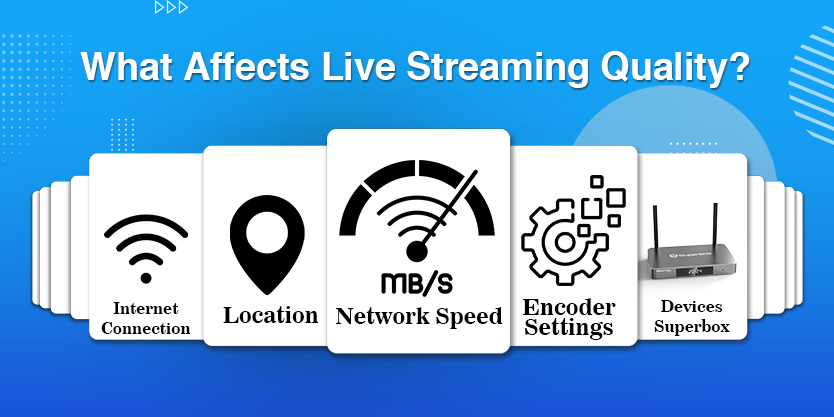
Network Speed
Network speed plays a crucial role in the quality of live streaming on Android TV boxes and SuperBOX. In addition, fast connections can provide a smooth viewing experience, allowing users to enjoy their favorite programs without interference. For example, influential people often emphasize the importance of fast Internet speed. With high-speed Internet, users experience low latency, which means less latency. This in turn allows for clear images and vibrant colors. If the network lags, the video may become pixelated, or even worse, freeze. No one likes staring at a cold screen, right? Therefore, maintaining a reliable network connection is crucial for enjoying the original video quality, especially during peak viewing hours.
On the other hand, intermittent connections may disrupt live streaming sessions. When the signal drops, users may see a buffer symbol or suddenly disconnect. For example, YouTube users often mention how weak networks affect the quality of their streaming media. When the stream pauses, the audience may feel frustrated and may switch to other platforms. A reliable connection is crucial. Viewers hope to seamlessly access their favorite content instead of enduring the lag of streaming media. Understanding and improving network speed is key to achieving an excellent streaming experience on Android TV boxes.
Location
Your streaming source plays an important role in the quality of your streaming media. In addition, if you broadcast in areas with poor Internet access, your streaming media will be difficult to play. Viewers in these areas may encounter persistent buffering and low resolution, which can be frustrating. On the other hand, if your audience is closer to the media server, they typically enjoy a smoother experience.
For example, experts suggest that viewers within 50 miles of the server typically receive better video quality. This is because the data transmission distance is shorter, reducing lag and delay. Therefore, when planning streaming media, you must consider your location and audience. You hope that everyone can appreciate your content without interference. Interacting with audiences from different regions requires careful planning. If your network connection is unstable, you can consider upgrading. Remember, better connections mean happier audiences!
Encoder Settings
During live streaming, your encoder settings determine the quality of the video. If you choose the wrong settings, you may get low-quality videos or persistent buffering. For example, if your Internet speed is very slow, but you set high-quality parameters, your stream may be delayed or frozen. The audience will feel discouraged and leave. On the other hand, if you don't fully utilize the potential of the device, the flow may not shine. By finding the right balance between your device and Internet speed, you can ensure a smooth streaming experience. Remember, happy audiences will become loyal followers!
Optimizing encoder settings is key to providing exciting live streaming. In addition, appropriate settings can improve the clarity and detail of the content. Both customers and influencers crave high-quality visual effects. They want the best experience. Therefore, please focus on bit rate, resolution, and frame rate. Each of these settings plays a crucial role. For example, higher bit rates can improve image quality, but require more bandwidth. Therefore, test different settings to find the most effective one. Essentially, optimizing good encoder settings can bring satisfied audiences, better engagement, and a successful streaming experience.
Devices
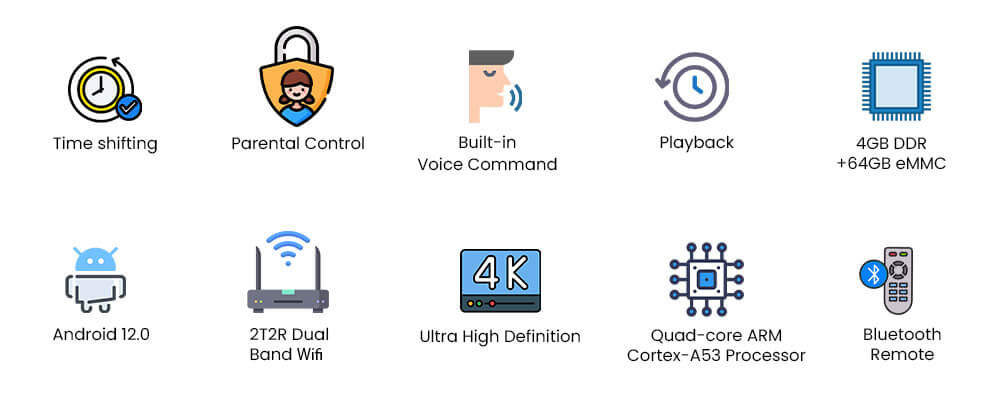
A good device will provide an excellent streaming experience. In addition, factors for evaluating a good device include: processor, operating system, RAM and storage, Internet connection, etc. Here are the specifications of high-quality streaming devices for your reference.
Internet Connection
A strong Internet connection is essential for a smooth live broadcast experience on a set-top box. When your connection is unstable, you may face annoying issues such as audio or video interruptions. Experts often point out that interference can disrupt your favorite programs or live events. When this happens, the audience will feel frustrated and may even completely shut down the live broadcast. To avoid these problems, please check your Internet stability. If it is unstable, the quality of your streaming media will be affected. So, don't let weak connections ruin your entertainment!
To improve the quality of your streaming media, users can consider using Ethernet cables instead of WiFi. This simple switch can make a big difference. In addition, Ethernet connectivity provides a stable and fast Internet experience. Additionally, please close all unnecessary tabs on the browser. Opening too many tags can slow down your connection speed, resulting in video buffering or pixelation. Influencers and technology critics suggest this as a quick solution to improve the streaming experience. By taking these steps, you can effortlessly enjoy uninterrupted high-quality flow!
Key Terminology in Live Streaming Quality
Network Speed and Bandwidth
Bandwidth is crucial for streaming video on set-top boxes. It refers to the amount of data that can be transmitted through Internet connection within a specific time range. To enjoy high-quality streaming media, you need sufficient bandwidth. In addition, if your bandwidth is low, streaming media may be affected. Viewers may encounter buffering, which could disrupt their experience. Similarly, higher bandwidth allows users to stream in HD or even 4K format without interruption. Essentially, faster connections mean smoother streaming. So make sure your Internet plan has the right bandwidth to keep fun. All of this is for a seamless viewing experience!
The bit rate directly affects the quality of the video. It measures the speed of data transmission during streaming media. A higher bitrate usually means better video quality that viewers will appreciate. However, achieving high bit rates requires powerful upload speeds. Uploading speed is also important in assessing how much data your Internet can send. If the upload speed is slow, adjustments may be necessary. For example, YouTube users often have difficulty uploading during peak hours. Stable upload speed ensures fast video loading and smooth streaming operation. To optimize your viewing experience, please test your internet speed and adjust your schedule as needed. In this way, you can enjoy every moment without any worries!
Video Quality and Encoding
Improving video quality in set-top boxes usually starts with resolution and frame rate. The higher the resolution, such as 4K, the clearer and more detailed the image. In addition, experts suggest that customers using 4K or 1080p resolution can achieve clearer visual effects, making every scene more vivid. Critics also emphasized how smoother frame rates (such as 60 FPS) can create smooth motion, especially for sports or fast action programs. By providing higher resolution and frame rate, set-top boxes enhance the user experience and turn regular viewing into something special.
Encoders and decoders also play a significant role in the quality of streaming media. YouTube users prefer the H.264 codec because it compresses videos without compromising quality, making streaming playback faster. The encoding process converts the video into a streamable format, ensuring no delay. In addition, transcoding has created multiple versions of the same video for adaptive streaming. This allows the set-top box to automatically adjust the video quality according to the user's Internet speed, so that you can have a smooth viewing experience every time.
Streaming Protocols and Servers
Streaming protocols such as RTMP and RTSP are key to improving the performance of set-top boxes. RTMP is a fast and smooth streaming media because it facilitates real-time playback of audio, video, and even data. Critics praised it for keeping latency to a minimum, especially when watching live events. On the other hand, RTSP controls the streaming media server. Experts like the way it manages media streams, allowing users to pause, play, and rewind without frustrating delays. Combining both, your stream remains uninterrupted and seamless - this is exactly what users crave!
In the world of high-quality streaming media, CDN and Ingest servers play a crucial role. CDN uses location-based server networks to deliver content super quickly. No matter where you watch, YouTube users are full of praise for how this reduces buffering. At the same time, the capture server processes the incoming video stream to ensure it reaches the user quickly. Customers rely on it to obtain clear and crisp videos without annoying delays or interruptions. Keep these two together top-notch!
Streaming Concepts
Improving the live streaming quality of set-top boxes begins with low latency. Delay refers to the delay between real-time operations and the content you see on the screen. To create a seamless experience, most viewers expect low latency, ideally between 500 milliseconds and 1 second. This fast response time keeps on-site sports, games, and activities smooth. Critics have praised how this feature has a huge impact on viewing satisfaction. It can prevent frustrating delays in real-time. In addition, influential people unanimously believe that fast, low latency streaming is crucial for those who dislike waiting and can ensure that you stay on the right track in action.
Buffer may seriously disrupt your binge watching session, but adaptive streaming solves this problem. By adjusting the video quality in real time, the set-top box can maintain stable operation even when the Internet speed slows down. This technology eliminates those annoying buffering pauses. Experts often emphasize how adaptive streaming can help provide a better experience. It ensures uninterrupted streaming playback, so you don't have to sit and watch low resolution videos or frequent pauses. This is how you can focus on programs without worrying about Internet problems.
How to Test and Improve Your Internet Speed in Live Streaming Quality
To check your internet speed on an Android TV box, follow these easy steps:
1/ Grab a speed test app: Hit up the Google Play Store on your Android TV box and download a cool app like Speedtest by Ookla, Fast Speed Test, or Meteor. They’re super easy to use!
2/ Run the test: Open the app, run the speed test, and jot down those numbers for download and upload speeds. Compare them with what your internet plan promises.
-
- Wired connection: For a more solid connection, plug your Android TV box directly into the router using an Ethernet cable. No more annoying buffering!
-
- Wi-Fi signal boost: Move your Android TV box closer to the router to get a better Wi-Fi signal. Distance can be a buzzkill!
-
- Restart everything: Give your router and Android TV box a quick restart. Sometimes a fresh start can work wonders.
-
- Check for throttling: See if your internet service provider is slowing things down. It might be time to give them a call if speeds are still off.
If your internet speeds are inadequate for smooth streaming, consider these tips to optimize your setup:
Use an Ethernet Connection
To achieve a rock solid connection, plug your Android TV box directly into the router using an Ethernet cable. This is like giving your streaming media a superpower boost, faster and more reliable than Wi Fi!
Optimize Wi-Fi Settings
If you insist on using Wi Fi, make sure your Android TV box is connected to the 5GHz frequency band. This frequency band provides faster speed and less interference. In addition, please stay away from small tools such as microwave ovens or cordless phones that may interfere with the signal.
Upgrade Your Internet Plan
If your streaming media speed is still slow, it may be time to upgrade your Internet plan. Choose a plan with a larger bandwidth, and you can stream smoothly.
Use a Wired Router
Replace your old wireless router with a wired router. Wired routers can reduce latency and improve overall network performance. Thank you for your streaming experience!
Disable VPN or Proxy
If you are using a VPN or proxy, please turn it off while streaming. These tools will slow down your speed and add annoying delays to your stream.
Close Unused Apps
Ensure that you are not running any applications in the background that may consume your bandwidth. Close unused applications to maintain smooth and uninterrupted streaming.
Best Video Resolution and Frame Rates in Live Streaming Quality
4K Ultra HD Resolution
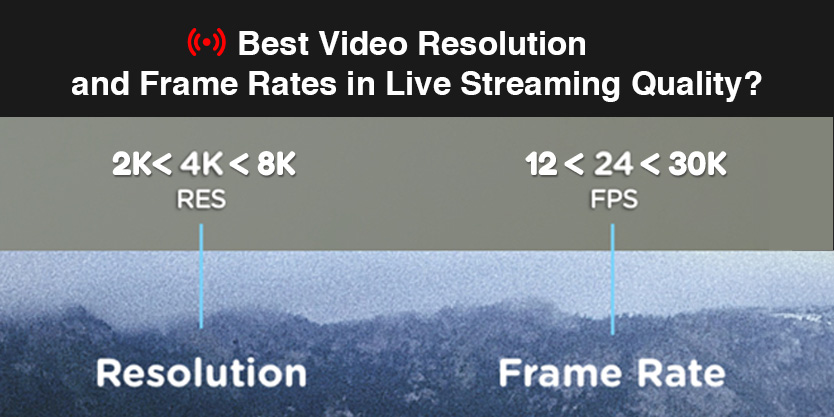
For the ultimate viewing experience, choose 4K Ultra HD with a resolution of 3840 x 2160 pixels. In addition, it's like giving your screen a major upgrade, providing four times the detail of standard 1080p HD. This means clearer images, richer colors, and deeper contrast. Ensure that your Android TV box supports true 4K resolution of 60 frames per second (fps) for stunning ultra clear image quality! Especially, SuperBox S6 Ultra also offers ultra-high definition resolution quality.
High Dynamic Range (HDR)
HDR is like adding a bit of magic to your videos, making them popular with brighter white, richer black, and wider spectrum. It brings those vibrant and lifelike visual effects, making your shows and movies look incredible. HDR10 and Dolby Vision are the preferred formats for Android TV boxes, so please pay attention to these!
High Frame Rates in Live Streaming Quality
Smooth movements are key, especially for action scenes, sports, and games. Higher frame rates, such as 60 fps, can reduce annoying "jitter" effects and make everything look smooth and natural. Looking for an Android TV box that supports 4K resolution at 60 fps for silky smooth playback.
Codec Support in Live Streaming Quality
Make sure your Android TV box can handle the major video codecs, such as H.264, H.265 (HEVC), and VP9. This ensures you can play a wide variety of video content without any hiccups.
Common Mistakes to Avoid in Live Streaming Quality
Poor Internet Connection
Stable and fast Internet connection is a prerequisite for perfect live broadcast quality. If you are dealing with buffering or pixelation, this is usually due to slow bandwidth. Ensure that your Android TV box is connected to a stable network - Ethernet is the best, but if you are using Wi Fi, connect to the 5GHz frequency band for a smoother experience.
Incompatible or Low-Quality Hardware in Live Streaming Quality
Using an unqualified or uncertified Android TV box may cause various headaches such as freezing and crashing. Choose certified devices that meet streaming standards - they are designed to handle high-quality video and audio without any effort.
Neglecting Software Updates
Skipping software and application updates may introduce errors and reduce performance. Keep the device software up-to-date to enjoy the latest features and solve any tricky problems.
Overloading the Device
Running too many applications simultaneously may put your Android TV box in a difficult situation, causing it to slow down or crash. Close any unnecessary applications while streaming to maintain smooth operation.
Ignoring Audio Quality
Good audio and good video are equally important. Bad sound can ruin the experience. Use external speakers or adjust audio settings to ensure clear sound.
Not Testing Before Going Live
Entering live streaming quality without conducting a trial run is asking for trouble. Always run a practice run to check your video and audio quality, internet connection, and overall settings. In this way, you can identify and resolve any issues before the actual transaction.
Inadequate Promotion in Live Streaming Quality
If you don't promote your live stream, you may miss out on potential audiences. Before streaming, post messages on social media and other platforms to establish publicity and attract more audiences.
Lack of Audience Engagement
Maintaining audience engagement is key to building loyal followers. If you don't interact with the audience, streaming media may make people feel impersonal. Join the Q&A session and respond to comments to maintain a smooth conversation.
Conclusion
Live Streaming Quality plays a crucial role in ensuring an engaging and seamless experience for viewers, whether you’re using an Android TV box or a set-top box. By implementing the strategies outlined in this article, you can significantly enhance your streaming quality, from optimizing your equipment to adjusting video settings and improving your internet connection. Remember, achieving high-quality streams not only boosts viewer satisfaction but also helps you stand out in the competitive world of live streaming. Apply these techniques, and you’ll be well on your way to delivering top-notch live content that captivates your audience.
Comment